Know what your posts actually did.

    Followers, reach and engagement for each connected account, and the numbers of every recent post, read every day.

    The week’s reach, engagement and followers come in your weekly summary.

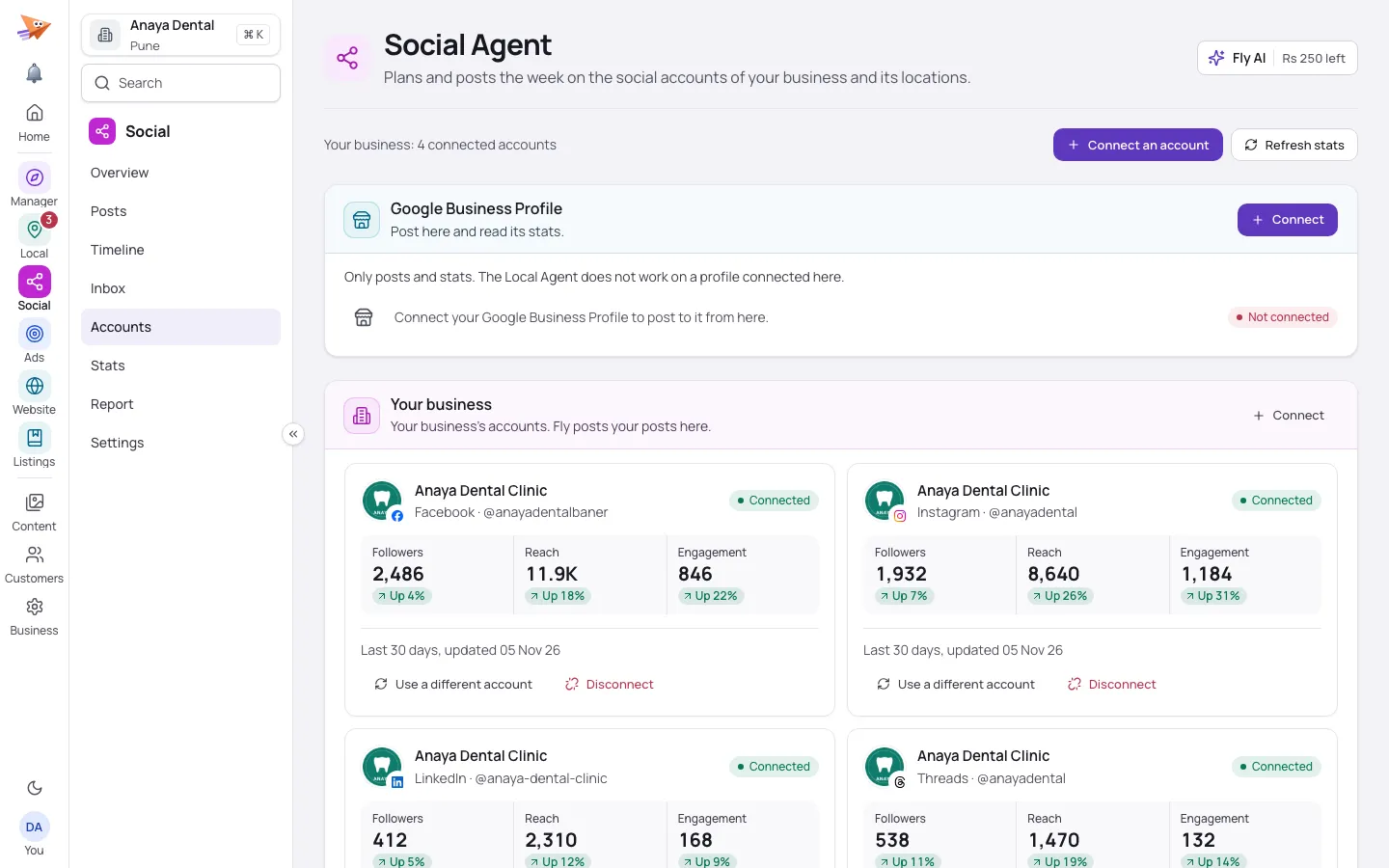
    Social accounts for a sample dental clinic on a computer: the connected pages with their followers, reach and engagement this month.
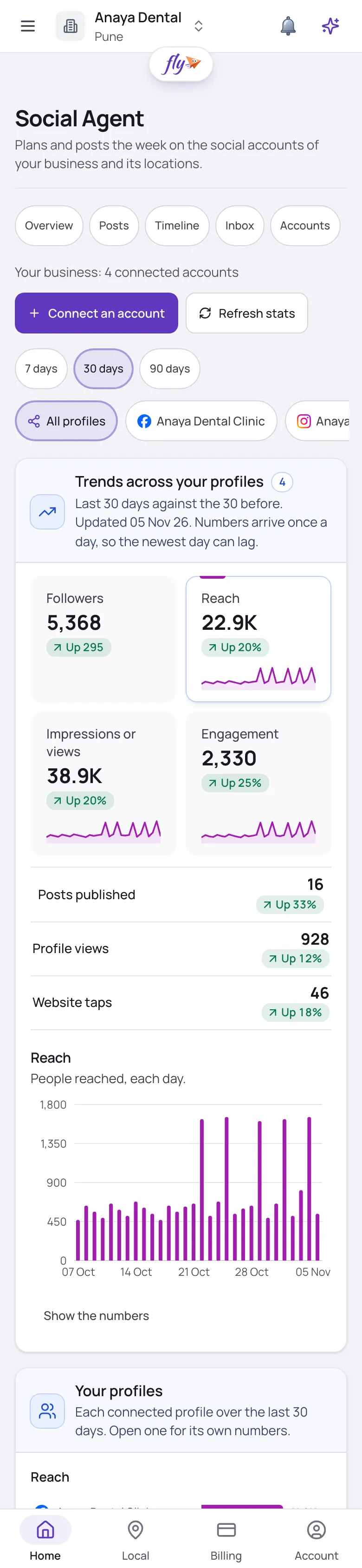
    Social stats for a sample dental clinic on a phone: each recent post on each connected page, with its likes, comments, shares and views.

    Screens show a sample business.

    The problem

    You post every week but cannot tell whether anyone sees it.

    What the agent does

    The agent reads each connected account every day: followers, reach and engagement against the month before, and how each recent post did.

    What you get

    You see what works without opening every app.

    See it at work.

    Shown on a sample clinic: what the agent did, and what it means for you.

    Know what your posts did.

    • Likes, comments, shares and views for each recent post, with a link to it
    • Followers, reach and engagement for each account, read every day
    • A network that reports nothing is left out, never counted as zero

    You see what works without opening every app.
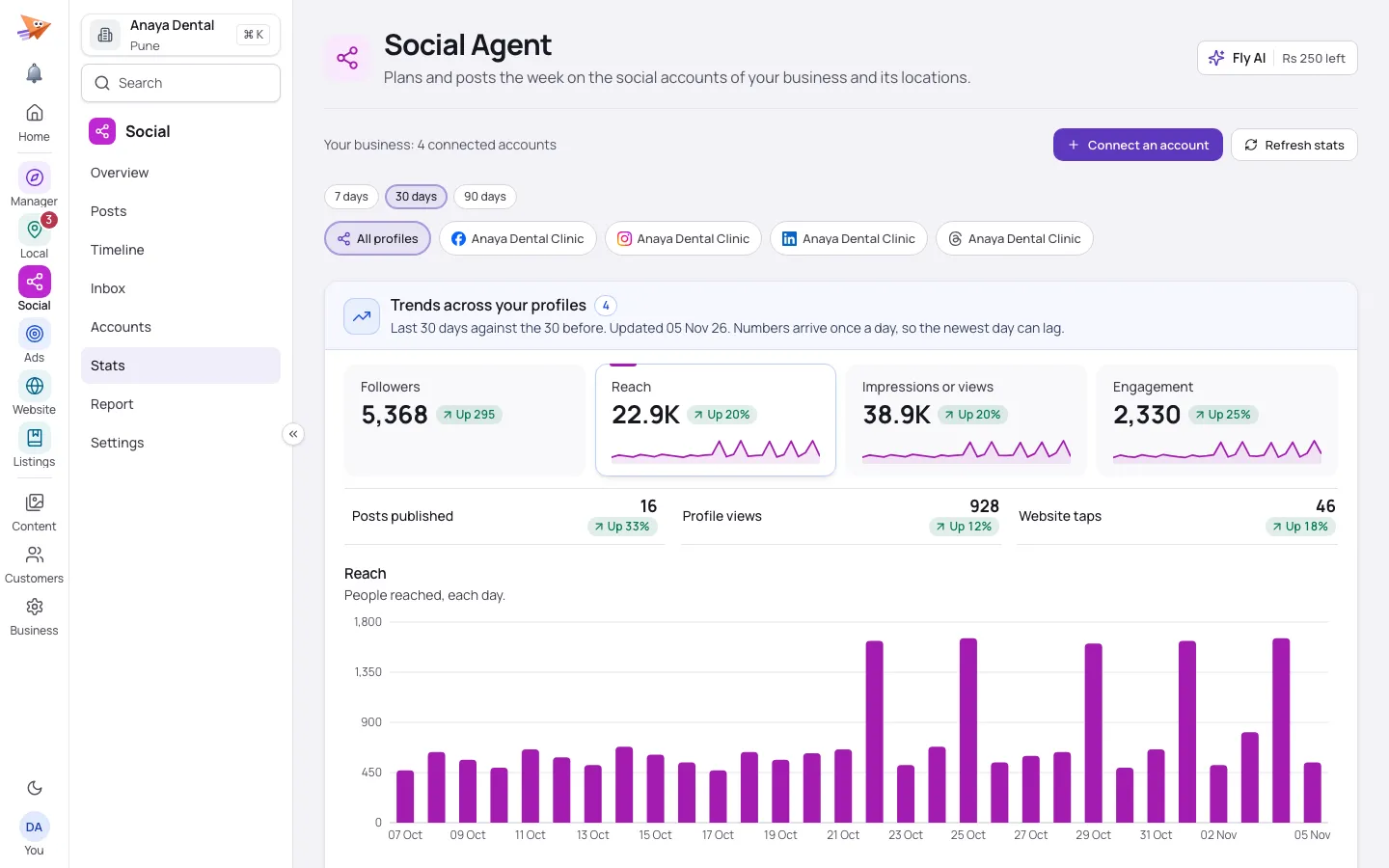
    Social stats for a sample dental clinic on a computer: the recent posts of each connected page with their likes, comments, shares and views.
    Social stats for a sample dental clinic on a phone: each recent post on each connected page, with its likes, comments, shares and views.
    • Post numbers read today
    • Weekly summary sent

    Every account, in one place.

    • Each connected page with its own numbers
    • Refresh an account’s numbers whenever you ask
    • How many posts went out on your pages this month

    One place to see every page you run.

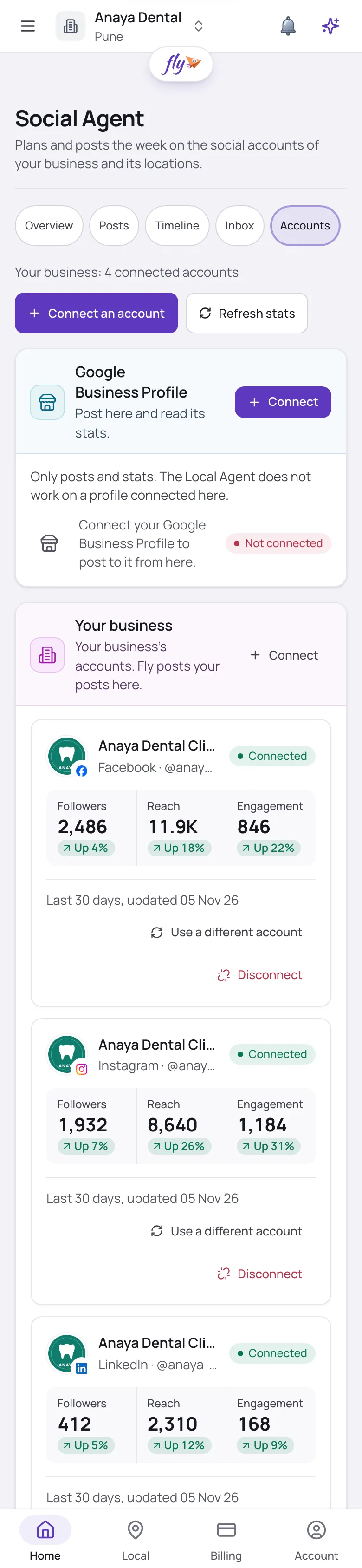
    Social accounts for a sample dental clinic on a phone: the connected pages, each with its followers, reach and engagement.
    • Numbers refreshed

    What the agent reads.

    • Every account, every day

      Followers, reach and engagement for each connected account, this month against the month before.

    • Every post’s numbers

      Likes, comments, shares and views for your recent posts, with a link to each.

    • In your weekly summary

      Reach, engagement and followers on one line of the weekly note.

    • Posts counted

      How many posts went out on your pages this month.

    • No guessed numbers

      A network that reports nothing is left out of the sums, never counted as zero.

    • On Social accounts

      Each account’s numbers in your Fly account, refreshed whenever you ask.

    Questions about the numbers.

    Which numbers does it read?

    Followers, reach and engagement for each account, and likes, comments, shares and views for each post, as each network reports them.

    How often?

    Every day. You can also refresh an account’s numbers yourself on Social accounts.

    Do these numbers change my growth score?

    No. Social readings are reported on their own and kept out of the growth score.

    Post, then see what it did.

    Try the Social Agent free for 14 days. Sign in with Google, then connect your pages.

    • Google’s own sign-in
    • You choose how much it asks first